AI Homework Help: 12-Minute Routine + Printable Checklist
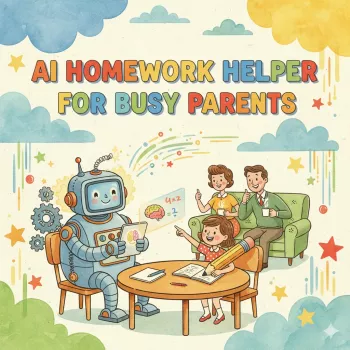
AI Homework Help for Busy Parents: A Printable Checklist for Calm, Confident Study Time
Homework nights can turn stressful fast when a child is stuck and time is short. A thoughtful AI tool can act like a patient “explain-it-again” helper—without replacing learning—when it’s used with clear boundaries and a simple routine. The goal isn’t speed at all costs; it’s calmer sessions, better understanding, and fewer power struggles.
Below is a parent-friendly approach that keeps your child doing the thinking. It also includes a printable-style checklist you can save and reuse so study time feels predictable—even on the busiest evenings.
When homework feels too hard: what usually goes wrong
Most homework meltdowns aren’t really about motivation. They’re usually about confusion stacking up until frustration takes over. Here are the most common trouble spots to watch for:
- Unclear directions: the assignment text doesn’t explain the steps in kid-friendly language.
- Missing foundational skills: the current problem depends on earlier concepts that didn’t “stick.”
- Overwhelm and avoidance: frustration reduces working memory and attention, so even “easy” steps feel impossible.
- Time pressure: busy evenings reduce patience and make it harder to troubleshoot.
- Parent uncertainty: knowing the answer isn’t the same as knowing how to teach it.
AI can help most with the first two: translating directions into clearer steps and filling in missing background knowledge with quick, targeted explanations.
A parent-safe way to use AI: boundaries that keep learning real
Using AI ethically and effectively comes down to one rule: explanations and coaching are in; replacement is out. Keep your child in control of the work, and treat AI like a tutor that gives hints—not like an answer machine.
- Use AI to explain, not to replace: ask for steps, examples, and hints instead of final answers.
- Keep the child in the driver’s seat: have your child read the assignment and restate the goal aloud.
- Ask for multiple approaches: try a visual explanation, a real-life analogy, and a simpler practice problem.
- Verify with the worksheet or textbook: compare AI guidance to class notes and examples.
- Protect privacy: don’t share full names, school details, logins, or identifiable student data.
- Follow school rules: if the teacher bans AI, use it only for general concept review and practice.
For broader guidance on safe, responsible use, see UNESCO’s guidance for generative AI in education, the U.S. Department of Education’s AI resources, and Common Sense Media’s AI literacy materials.
AI help that supports learning vs. shortcuts that undermine it
| Supportive use | Not recommended |
|---|---|
| Explain the concept in 3 different ways; include a simple example | Generate the final answers for the worksheet |
| Provide hints one step at a time and stop after each step for the child to try | Write a full paragraph or essay to submit as-is |
| Create 5 practice problems at the same difficulty and show solutions after attempts | Solve the exact assigned problems end-to-end without child participation |
| Help check work and point out where an error likely happened | “Fix” the entire assignment so it looks perfect without learning |
The 12-minute smarter study routine (designed for busy evenings)
This routine is short on purpose. A quick reset plus a clear sequence often works better than grinding for an hour while everyone gets more tense.
- Minute 1: Reset—water break, clear the table, timer on.
- Minutes 2–3: Clarify—child reads directions; parent asks: “What is the question asking?”
- Minutes 4–6: Concept check—identify the one skill needed (fractions, theme, vocabulary, etc.).
- Minutes 7–9: AI-assisted coaching—request a kid-friendly explanation plus one guided example.
- Minutes 10–11: Independent try—child solves the next item alone while parent stays quiet.
- Minute 12: Review—check steps, circle any confusion, decide: continue or stop and message teacher.
If the timer ends and your child is still stuck, pause instead of pushing harder. Two calm attempts beat ten frustrated ones.
Copy-and-use prompts that keep kids thinking
These prompts are designed to prevent copy-and-paste habits and keep your child actively processing. Adjust the grade level to match your child.
Printable checklist: what to do before, during, and after AI help
One-page checklist layout (for printing or saving)
| Stage | Checklist items | Done |
|---|---|---|
| Before | Read directions; name the skill; set a timer; confirm allowed tools | ☐ |
| During | Ask for explanation; request step-by-step hints; child writes and explains back | ☐ |
| After | Do one independent practice item; note the rule/strategy; decide next step | ☐ |
What this digital download includes and when it helps most
If you want a ready-to-use page you can print, keep on the fridge, or save to your phone, the AI Homework Helper for Busy Parents printable checklist (digital download) is built for exactly these high-stress moments.
For younger kids who need an off-screen reset before homework, a hands-on activity can help them settle their bodies and attention. The Wooden Astronaut Puzzle Board Montessori Learning Toy can work well as a short “arrival activity” before the 12-minute routine—especially if your child comes home overstimulated.
Common pitfalls and how to avoid them
FAQ
Can a parent use AI when a child’s homework is too hard?
Yes, when it’s used for explanations, hints, and practice—not for producing the final submitted work. Follow school rules, keep your child doing the thinking, and use AI to clarify steps and concepts.
How can AI help without encouraging cheating?
Use boundaries: ask for concept explanations, guided examples, and step-by-step hints; require a teach-back; and finish with an independent problem. Avoid copying answers or submitting AI-written text.
What should never be shared with an AI tool during homework help?
Avoid personal identifiers (full names, school name, student ID), account logins, medical details, and any private class materials that are restricted. Keep prompts general and focused on the skill.










Leave a comment